
Selected
HOTEL LOBBY AI RAP VIDEO GENERATOR
Your duo.
Your verse.
One drop.
Preview 15-second landscape music templates and explore a two-photo video workflow. This template is an interactive demo; it does not generate AI videos.
HOTEL LOBBY AI2 PHOTOS16:9 MP4480P · 720P · 1080P
YOUR DUO. YOUR STAGE.
Put your duo in HotelLobby.ai’s frame
Choose a scene, add two photos and preview your duo. This is an interactive demo and does not generate AI video.
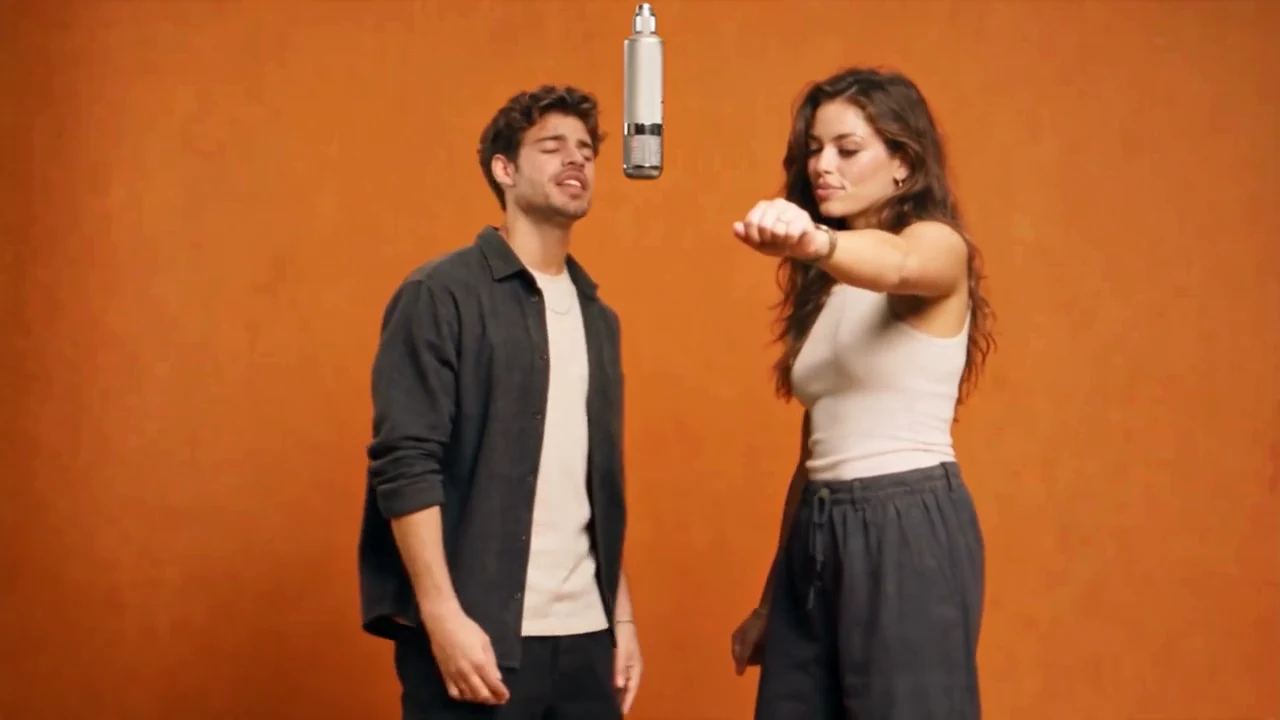
Selected templateOrange Street Duo
01
Upload your duoClear, front-facing photos work best
Local preview only. Photos are not uploaded and are released when you close the page.
02
Choose video resolutionCompare the credits for each resolution
Selected resolution720p
Template credits45 credits
The demo does not spend credits or create real orders.Add two photos and confirm permission first. This template only demonstrates the workflow.
02 · PICK A TRACK
Choose a HotelLobby.ai template
Preview and choose your duo's performance template
HOTEL LOBBY AI WORKFLOW
Three steps to your
HOTEL LOBBY AI video.
Upload two clear photos
Use one subject per photo, with a visible face and even lighting.
Choose a Hotel Lobby AI template
Explore fourteen orange studio, hotel, cultural and animal scenes.
Choose a resolution and create
Try the workflow in 480p, 720p or 1080p.
HOTEL LOBBY AI FORMAT
A two-subject
rap video format.
Two subjects, one suspended microphone, a fixed landscape camera, alternating performances and a shared beat.
Put friends, couples, pets or your creative team in the same frame. Start with two photos and make the stage yours.
Read the full guideHOTEL LOBBY AI PHOTO GUIDE
Better photos,
better results.
01One subject per photo
02Face forward or slightly to the side
03Keep eyes and jawline visible
04Use original photos rather than screenshots
HOTEL LOBBY AI FAQ
Questions before you create
01What photos should I use?+
Use an original JPG, PNG or WebP with one clear subject, even lighting and a visible face. Maximum file size: 8 MB.
02How many credits does a video cost?+
The reference workflow uses 20, 45 and 80 credits for 480p, 720p and 1080p. This template only demonstrates the flow and does not charge you.
03Where can I find my history?+
Open My videos to see demo records saved in this browser. The demo does not generate new AI videos.
04Where are my photos uploaded?+
Photos are previewed only in your browser and are not sent to a server. Use only images you have permission to use.
HOTEL LOBBY AI GENERATOR